

Closte outage: disrupted CDN and unusual billing, what is happening?
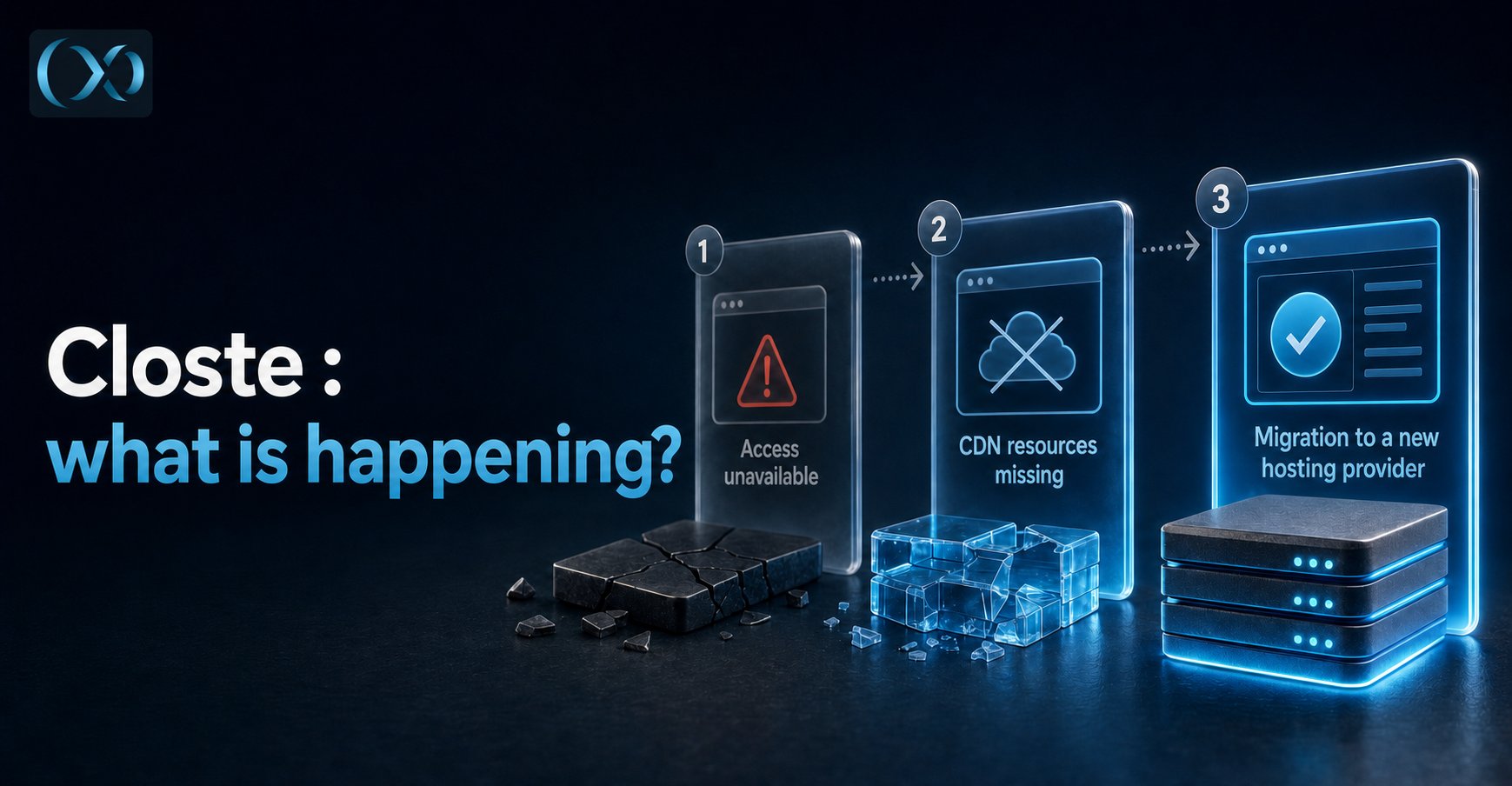
🚨 Broken sites, blocked WordPress updates, then unusual invoices: what happened at Closte? After 48 hours of incident, I migrated the sites of clients who had accepted my quote and monitored the others. I explain the solutions I had to create to protect their sites, and the questions that remain unanswered.

Lila HNAT BENGUEDACH
Published on 9 min read
For years, I appreciated Closte for its WordPress hosting, especially their à la carte system, pay for what you use, with high-quality services. Then the warning signs piled up: the domain and dashboard became inaccessible, resources distributed by the CDN no longer loaded properly, partial returns were followed by new difficulties and, in September, billing amounts surprised several clients.
Taken separately, each of these problems calls for an explanation. Put together, they change the way risk has to be managed.
A bit of context: I manage sites for my clients at BL Digital, so I was collateral damage from this outage. After 48 hours of incident, I did not wait for the situation to resolve itself: I transferred the sites of clients who had approved my migration quote.
For clients who had refused the transfer, I kept an eye on their sites and monitored how the incident evolved. I also had to solve access and functionality problems while Closte’s usual tools were no longer responding. Some of these clients then reported invoices exceeding €200, independently of the two screenshots in dollars that I share below. This monitoring is also part of WordPress maintenance: spotting errors, checking backups and verifying that updates remain possible.
Here I explain what I observed, what users published and what I cannot verify. My goal is to understand the sequence of events and help site owners keep control of their data. Hypotheses about the origin of the outage or the billing remain hypotheses.
July 2026: the Closte domain disappears from DNS and access becomes more difficult
Starting on July 18, clients reported difficulties accessing closte.com and the dashboard. The checks published by LYVTech and Best Website noted DNS resolution failures and a clientHold status on the domain. This status prevents its publication in DNS; by itself, it does not reveal why the measure was applied.
The consequences were not identical for all sites. Client-owned domains sometimes remained accessible, while the dashboard, staging environments or resources linked to Closte no longer responded. The main domain outage therefore does not automatically mean the loss of files or databases, but it can make their recovery more difficult.
Another particularly visible symptom: users reported that images, CSS stylesheets or scripts were no longer loading via the CDN. In some cases described publicly, rendering returned after disabling this distribution. This documents a problem on those configurations; it does not prove that the entire CDN was unavailable everywhere or that Google Cloud was the cause.
At this stage, my question was simple: how long could we rely on the access that was still available to extract reliable copies of the sites?
On my side, after 48 hours of incident, I started transfers for the clients who had accepted the quote. I did not wait for the outage to end, no public response from Closte, panic on Reddit, action reaction we recover and transfer. The sites whose owners had refused migration remained under monitoring.
Late July and August: a partial return, unstable access and few explanations
A temporary return of closte.com and the dashboard was observed in late July, but certificate problems were still being reported. Best Website then noted new DNS failures on August 19. On my side, I could sometimes access the dashboard, without being able to consider that access stable. The public site, WordPress, the CDN and the console did not always behave the same way.
What I had to do during the outage: access, DNS and WordPress updates
As soon as the Closte dashboard was offline, I developed my own tool to regain access to my clients’ environments from the authorized access I had available, without depending on the unavailable dashboard. This allowed me to continue recovering the data including recent backup and the DNS entry and to work on the sites while the usual interface was not functioning.
For sites whose images, stylesheets or scripts still depended on the Closte CDN, that dependency also had to be disabled.
The problem did not stop at display. Closte was then preventing WordPress from being updated on the affected sites. And since problems were arriving in waves, a major security vulnerability required a response, and I could not leave my clients exposed while waiting for this function to be unblocked. I created and applied, at my own expense, a temporary fix WordPress to protect them, until I could perform the official update. This extra work was made necessary by the impossibility of updating WordPress normally.
These interventions were not simple routine checks. They explain why I judged the situation too risky for the clients who had agreed to migrate, and why I continued to monitor closely the sites of those who had chosen to stay.
When access becomes available, retrieve backups and exports by a secure method. A certificate or security warning must not be ignored blindly: have the authenticity of the access verified before entering your credentials. Also keep the files and the database outside Closte.
No detailed public report from Closte explaining the cause and the resolution timeline of these incidents, unheard of!
September 2026: after the outages, billing raises new questions
Then another anomaly appeared, this time in costs. Closte bills by usage: an amount can vary with traffic and resources consumed. But when several clients report sudden increases after weeks of incidents, the issue is no longer just comparing receipts. It is necessary to explain where this consumption is coming from.
Other clients report increases at the same time
In the r/Wordpress thread dedicated to Closte, several people describe traffic or consumption spikes around September 4, 5 and 6, including on low-traffic sites. One user says they saw a $300 charge attempt for the first days of September when they usually paid $18 to $20 per month. Another reports a €400 charge for a site usually close to €20 per month. A third mentions a $1,400 attempt for the first seven days of the month across several low-traffic sites.
On Trustpilot, a review dated September 17 indicates around $80 per month previously, then $691 in September. These are individual testimonies and their closeness in time and the variety of accounts concerned nevertheless justify asking Closte for an explanation.
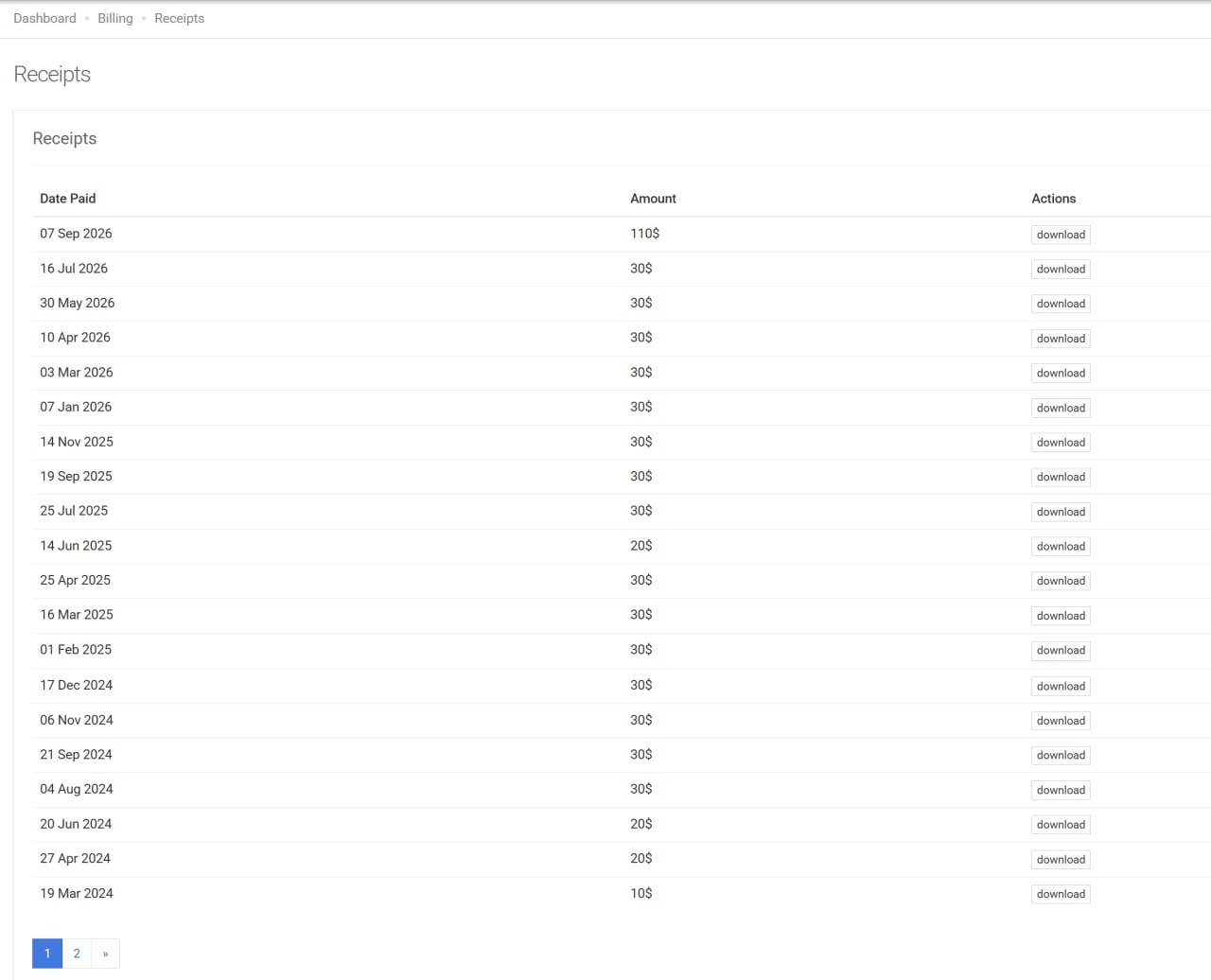
Actual Receipts history from one of my clients: a payment of $110 dated September 7, 2026, after several earlier payments of $30. The corresponding periods and consumption still need to be examined.
What should you do?
Keep the available screenshots, receipts, invoices and consumption data right now. Note the dates of the spikes and ask for the metrics and logs that explain each billed line. This evidence will be useful to discuss a possible adjustment; it must not delay the move to another host.
Google Cloud, the CDN and Closte’s silence: the open questions
Closte presents Google Cloud CDN, Google Cloud DNS and Google Premium Network as components of its platform. It is natural to wonder whether the distribution difficulties and the September amounts are linked. The testimonies and my screenshots do not, however, make it possible to establish a cause-and-effect relationship between these two phenomena.
A bot spike, a resource-hungry process, a measurement problem, consumption accounted for late or an incident affecting resource delivery are all technical avenues to verify.
What is missing is an accessible official explanation: no longer why all these problems but is there anyone on the plane? I found no detailed public report answering these questions. Faced with silence, you have to migrate.
The steps to transfer your site without making the outage worse
1. Inventory the access that is still usable
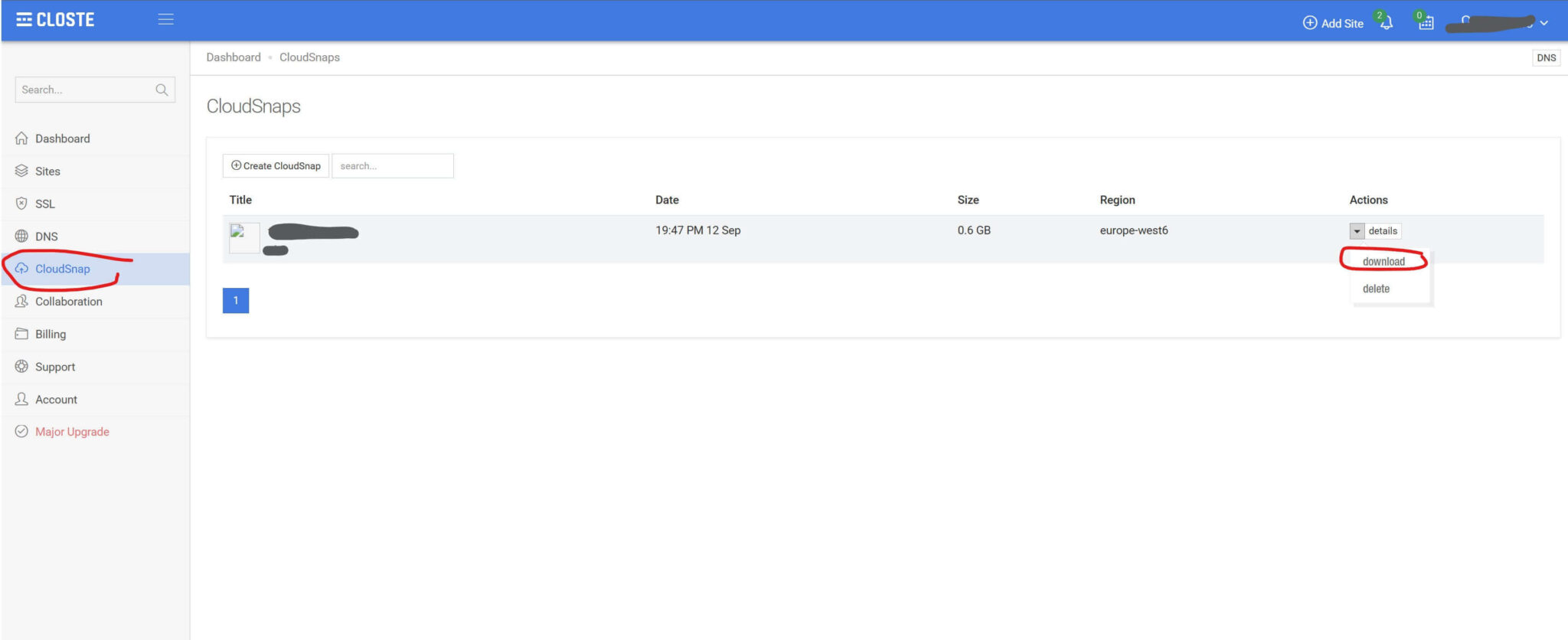
Check whether you still have WordPress, file access, a database export on the Closte dashboard or an external backup (Cloudsnap). Also identify who controls the domain and DNS. A public site being accessible does not guarantee access to all the other services, and the reverse is also possible.
2. Retrieve an independent copy
The priority is a backup stored outside the affected platform via cloudsnap: database, site files and the necessary configuration elements. Also keep the DNS records.
A backup available only in the host’s inaccessible dashboard is not enough to protect you. That is the whole point of a disaster recovery plan: planning how to put the site back online when the usual hosting becomes inaccessible.
3. Restore and test before the switch
Prepare the new environment, restore the site and check the pages, images, forms and, if necessary, orders and payments. Do not change the DNS until the essential checks have been completed.
Avoid deleting the old environment too early. Keeping the elements that are still accessible gives you a chance to recover anything that may have been forgotten.
4. Delete DNS and Cloudsnap
You need to delete the DNS and the Cloudsnap backup, as they are paid and will rightly generate charges on your next Closte invoice.
If you wish not to continue paying the unjustly generated charges, be aware that at present it is not possible to detach your credit card. You must contact your bank and revoke the mandate and future Closte payments.
5. Document the charges and contact Closte
Keep the receipts, invoices, screenshots and incident dates. Then open precise tickets: which account, which payment, which period and which anomaly are you asking to have explained? Keep a copy of the exchanges.
This process remains useful even if the response is delayed. But it must not block securing the site.
Why I transferred my clients to kinsta
For the migrations carried out after validation of the quotes by my clients, I chose Kinsta. It was my operational choice in this emergency: I needed an environment where I could restore and test the sites quickly. This feedback does not mean that the same hosting would automatically suit all projects.

Whatever your choice, preserve your autonomy: a domain you control, independent backups, documented access and an exit procedure. Changing provider without correcting these dependencies would only move the problem elsewhere.
Protect your site first, ask questions later
Closte: when small incidents become a chain reaction
In scuba diving, a first problem should never be taken lightly: Danger begins when you let it trigger the next one, until you run out of margin to react. With Closte, I saw this mechanism at work: an inaccessible domain, an offline dashboard, sites broken by their dependency on the CDN, blocked WordPress updates, then unexpected billing amounts. It was no longer an isolated outage; it was a chain reaction.
At first, some wait. You try to understand and hope the host will restore service. But you have to set yourself a deadline. A site that still displays does not mean you still control it: when the dashboard becomes inaccessible, hosting administration and backup recovery may already be compromised. For me, that was a major warning sign.
I gave myself 48 hours. As soon as my clients approved the quote, I transferred their sites. Those who refused migration, I kept under monitoring and deployed fallback solutions. But monitoring a site does not replace control of its hosting.
You can tell yourself “the site is still online, everything will work out” and postpone the transfer out of laziness or to avoid the expense. That is a gamble that can be costly, especially with a usage-billed host: on the day action is required, access may be missing and unexpected charges may already have accumulated. Do not wait for your site to disappear before setting your limit. When you lose the means to intervene normally, it is time to prepare your exit.
In the same topic
- JetGEO, Crocoblock’s new WordPress release: AI crawler control or just a marketing layer?
Shared topics : Digital · Maintenance · WordPress
- Black Friday 2026: WordPress Deals and Coupon Codes
Shared topics : Digital · Maintenance · WordPress
- Halloween 2026: WordPress Plugin Deals and Coupon Codes
Shared topics : Digital · WordPress
- Amazon blocks Meta’s Muse Agent from its Store
Shared topics : Digital
Google Search Profiles: what changes for American media and creators in September 2026
Google is announcing a new step for its Search Profiles aimed at publishers: access threshold lowered to 10,000 subscribers in the United States, multi-brand…
Read the article
Generative AI and local leads: how to connect AI citations to real leads
A missed call at 10 p.m., a branded search in Google, a form filled out the next day: AI may have helped the decision…
Read the article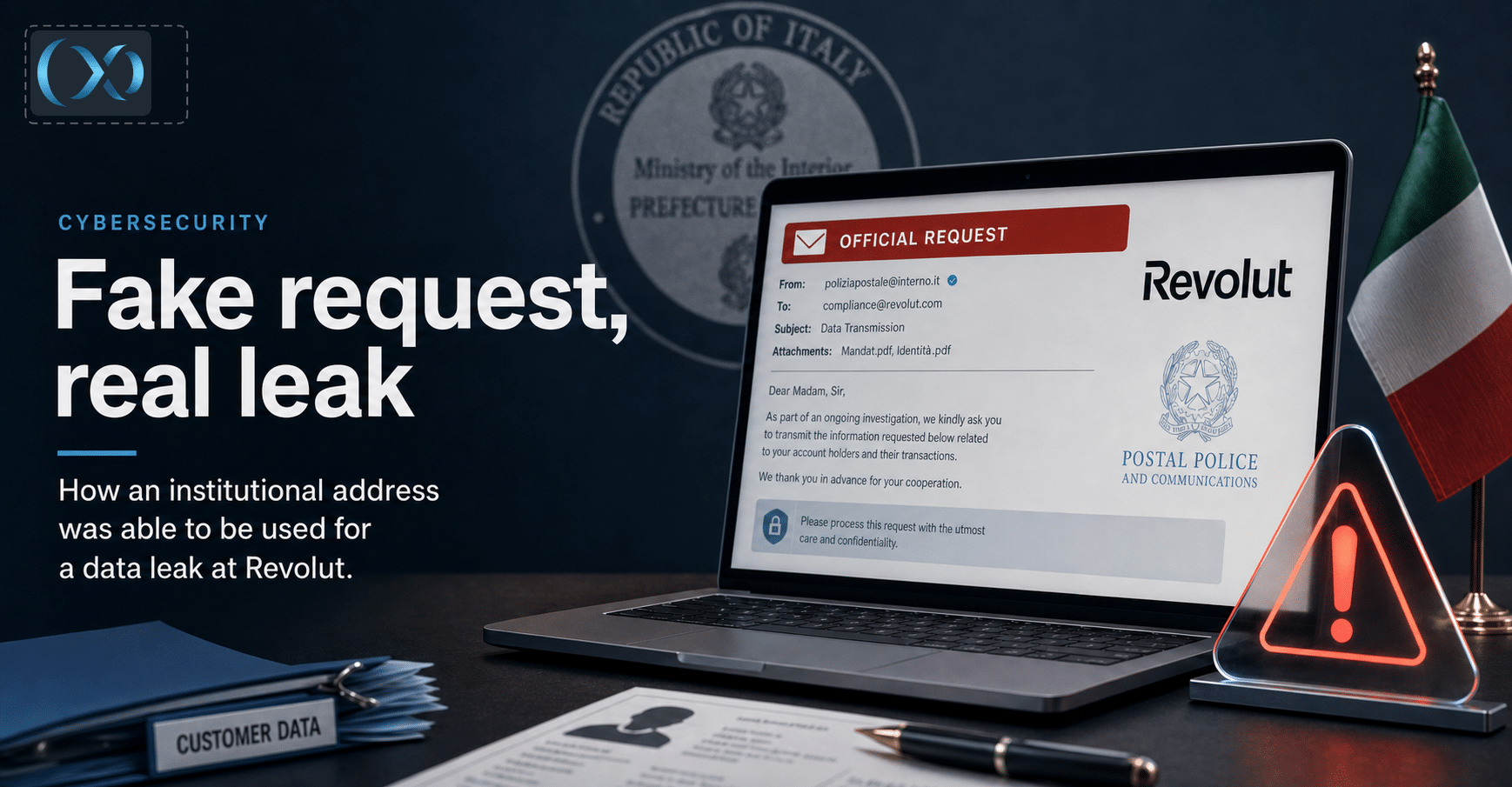
Revolut case: How an Institutional Address Was Able to Be Used for a Data Leak
An Italian PEC was reportedly used to obtain the data of hundreds of Revolut customers. The known facts, the KYC issue, and the privacy…
Read the article